

Cities
Clinics and healthcare in Singapore
Clinics, hospitals and other healthcare providers in Singapore, for health-tech and service sales.
Every business in a market, with checked emails and phone numbers, plus owners and incorporation details where available. AI drafts the outreach; you approve it.

One workspace for outbound. Start from a ready-made audience of enriched companies, or search any market, and send paced, AI-drafted campaigns from your own address, without buying a list.
01How it works
One loop, five steps, one workspace. Each step hands its results to the next.
01Audience
Pick a ready-made group from the library, say “Clinics and healthcare in Singapore”, or search the companies already in Signalsant. When a market is missing, Deep Search finds every business in it.

02Enrich
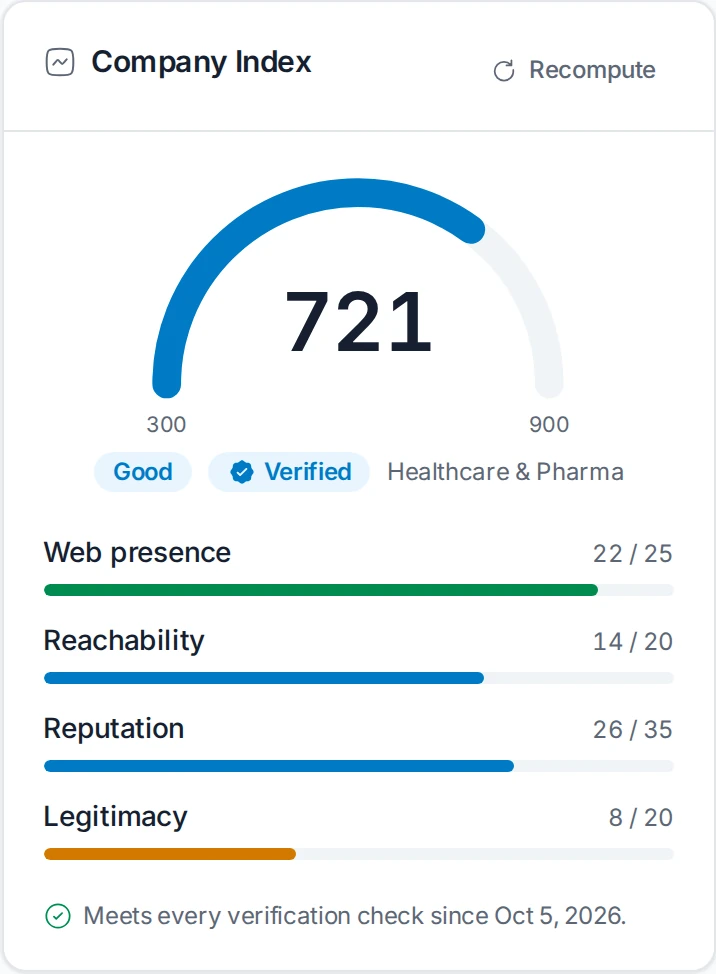
Websites are crawled for emails, phones and socials, every address is checked for deliverability, and each company gets a Company Index score.
Also found on gardendental.sg
03Group
Save the companies you want into groups. A group is an audience: reuse it across campaigns and keep adding to it as new searches come in.

04Campaign
Describe your offer and AI writes the email. Edit any line, preview it with a real company’s details, and save it. Nothing goes out until you start the campaign.

05Track
One dashboard for every campaign: what went out and what failed, day by day, so you know which market to search next.

02Audiences
Groups of companies picked by city, country, industry and buying signal, and refreshed on a schedule. Open one, see who’s in it, and send to it.
Cities
Clinics, hospitals and other healthcare providers in Singapore, for health-tech and service sales.
Countries
Companies in India with an email address, highest Company Index first, as a starting list for the market.
Industries
Software and IT companies with an email address on file, highest Company Index first, for tech partnerships, hiring and B2B software sales.
Sales
Verified companies with both an email and a phone number and a Company Index of 800 or more, for direct sales outreach.
Marketing
Businesses rated 4.5+ from 20+ reviews whose Company Index is under 500, for marketing and web agencies to pitch.
Domains
Companies whose domain registration ends in the next 30 days, soonest first, for domain, hosting and web-service offers.
Cities, countries, industries, domains, startups, marketing, recruiting and sales. Missing a market? Deep Search finds it.
Browse all audiencesDirectory
Browse companies registered in India by state, newest first: company number, status and registration date, with class and capital where recorded. Free, with no sign-up.
03Features
The company records and scoring most outreach tools leave out, and the sending controls that keep your domain healthy.
Company number, legal form, status, incorporation date and registered address for each company. Check a prospect is real, and how old it is, before you write.

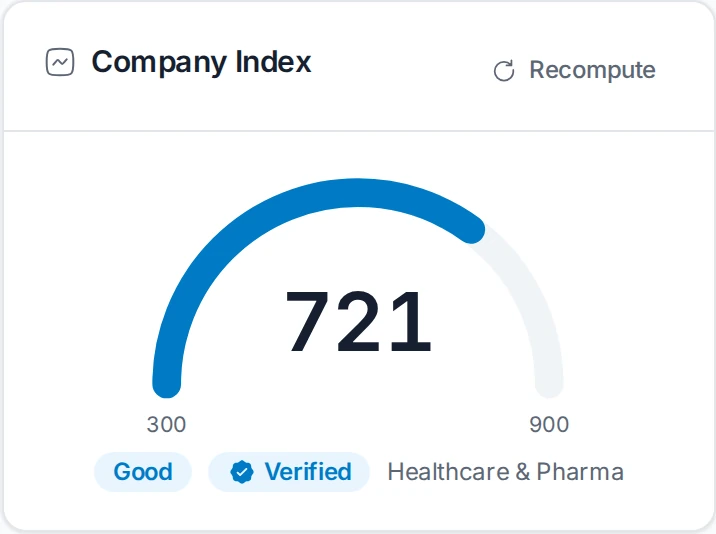
Company Index rates web presence, reachability, reputation and legitimacy from 300 to 900, so the most reachable, legitimate companies come first.
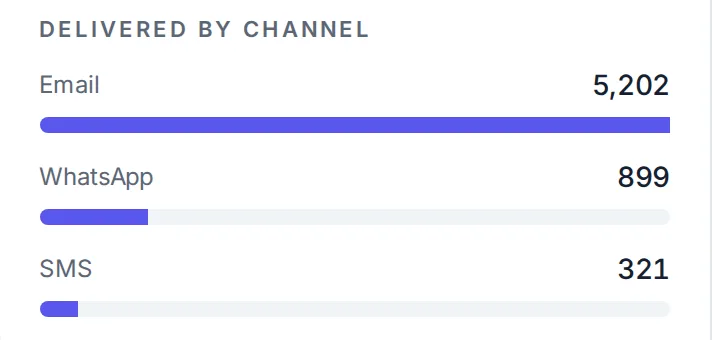
Email, WhatsApp and SMS from the same campaign. The queue paces every send, and the dashboard counts what landed on each channel.
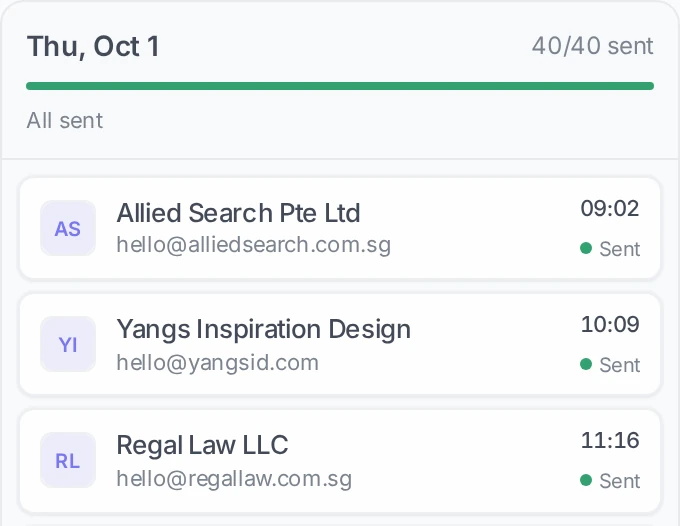
Each day’s sends are spread across the window you set and go out from your own Gmail or SMTP server. Undeliverable addresses are skipped, and each company is contacted once.
Reusable templates with typed variables for each company’s details, and a live preview filled in as you write. Start from a layout, write HTML or React Email, or let AI draft the first one.

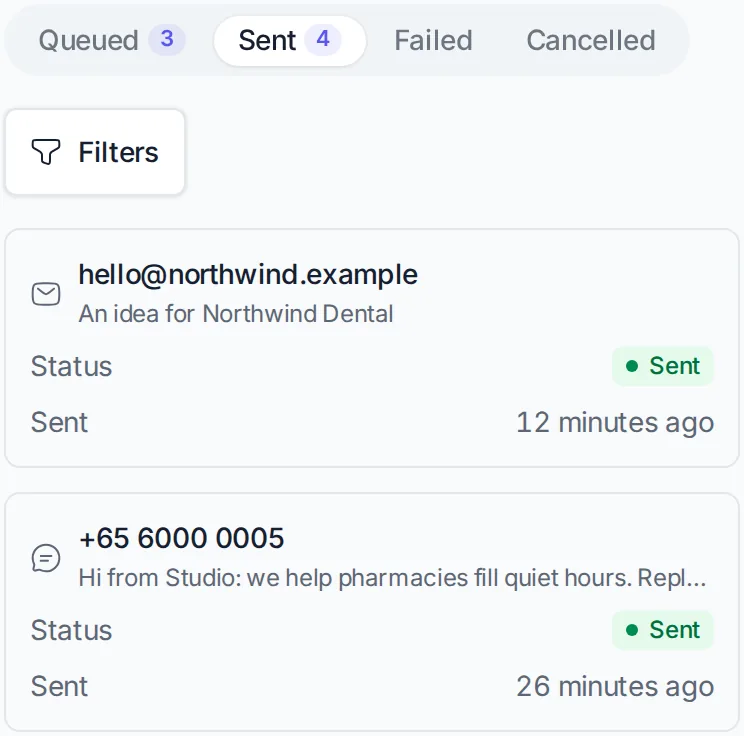
Every message your team sends, from campaigns and company pages, in one list, queued ones included. Send one early, or stop it before it goes out.
Public business data only. Crawls respect robots.txt. Every starter template ends with an opt-out line. Privacy policy
04AI
Find companies by describing them, start each email from a first draft, and read a short profile before you write. Or connect your own AI over MCP and let it run the whole workflow.
Write the companies you want in a sentence. Signalsant turns it into filters you can adjust and puts the closest matches first.
A search for “dental clinics in Pune with a good rating and an email” becomes four filters: dental clinic, Pune, rating 4 or more, and has email. Three matching clinics follow, best match first.
Describe the email and pick a tone. AI writes a draft that keeps variables such as {{company.name}}, rewrites a selection when you ask, and suggests subject lines. You review every draft before it is saved.
In the email editor, a short brief and the Generate draft button produce a subject and a short email that greets the contact and mentions the company by name through template variables.
An AI profile sums up what a company does, with a headline, a short summary and its services, written from what is public about it.
A company page generates an AI profile for a physiotherapy clinic: a headline, its type, field and founding year, a two-line summary and three services.
Connect any AI client that supports MCP in Settings and hand it the whole workflow: Deep Searches, groups, email templates, and launching and tracking campaigns. Always at the access level you choose, never beyond your own role.
Or give your agent one link
An AI assistant is given the link signalsant.com/agent.md and asked to find bakeries in Leeds with an email, group them and set up a campaign. It reads the link and asks to connect, and you approve it with editor access. It then searches companies, creates a group, adds the companies, saves an email template, creates a campaign and adds the group to it, and reports 24 bakeries in the new group and a campaign ready to review.
05Use cases
Agencies, brokers and B2B service teams run the same loop: choose an audience, check who is real, and reach them from one paced queue.
Start from a ready-made audience, or search a city for the businesses you serve, and get each one with emails, phones, socials and owners. Group the ones that fit and launch a campaign without a spreadsheet.
Check the incorporation date, company number and domain age before you pitch. A business registered two months ago never gets a five-year proposal by mistake.
Run email, WhatsApp and SMS from one paced campaign. Audiences, groups and campaigns are shared, so nobody on the team contacts the same company twice.
06For businesses
Claim your company’s profile, prove you own it, keep the details right, and show it on your own website.
Step 01
Signalsant builds company profiles from public sources. Open yours and choose Claim.
Step 02
Use a work email at your domain, a DNS record, a tag on your website, or upload documents for our team to check.
Step 03
Your profile shows that its owner has verified it, so visitors know who keeps it up to date.
Step 04
Edit your headline, summary and services, and refresh the details we gather from your website.
Embed
Paste one snippet and your verified profile appears as a card on your website. It updates itself whenever you edit the profile.
The preview is a sample profile of a fictional business.
07Pricing
Every feature, for your whole team. No credit card.
Early access
If paid plans arrive, you’ll get advance notice first.
Get started freeEverything included
Anything else? Write to [email protected].
If we introduce paid plans, we’ll announce it clearly and give existing users advance notice before anything changes.
Businesses in 207 countries so far, deepest in India, the US, the UK and Canada. Ready-made audiences cover the cities, countries and industries with the most companies, and Deep Search can run anywhere in the world for the rest.
Yes. Connect Gmail or any SMTP server and mail goes out from your address; replies land in your own inbox.
Mail goes out from your own address, so you are the sender and decide the lawful basis for each market. Signalsant holds public business data only, every starter template ends with an opt-out line, and anyone can ask us to see or delete their data under our Privacy policy.
Yes. Workspaces have roles, and searches, groups and campaigns are shared, so the team works from one list.
08Blog
Practical outbound for sales teams, founders, agencies and recruiters: finding the right companies and starting real conversations.

Pick employers by city and industry from Signalsant's ready-made groups, trim them to a shortlist you care about, and write to each one at a gentle pace.
4 min read

The Company Index scores how established, reachable and well reviewed a business looks, from 300 to 900. Here is how to read it before you write to anyone.
3 min read

A domain that's about to expire, or just has, can mean a business needs help with its website. Here is how web agencies can find them and write well.
4 min read
Businesses indexed in 207 countries
Sign up and start from a ready-made audience in minutes. No credit card, no sales call.
Subject An idea for {{company.name}}
Hi {{contact.first_name}},
I noticed {{company.name}} takes most bookings by phone. We set up online booking for clinics like yours.
Would a 15-minute call next week work?
{{sender.name}}
Sports physiotherapy and rehab for runners and active people
A small clinic in Leeds offering sports physiotherapy, rehabilitation plans and running assessments, with evening appointments.
Here's signalsant.com/agent.md. Find bakeries in Leeds with an email, group them and set up a campaign.
Done. 24 bakeries are grouped and a campaign is ready for you to review.
Northwind Studio
Bristol, United Kingdom
Northwind Studio
Design studio
Headline
Brand identity and websites for independent shops
In three steps
A preview of the embed card for Northwind Studio, a fictional business, on its own website, in the card layout and light theme.
Resizes itself to fit the card. Yours has your profile's id in place of your-company-id.
A fixed-height frame, no script. Yours has your profile's id in place of your-company-id.
A link that chat apps show as a preview. Yours has your profile's id in place of your-company-id.